

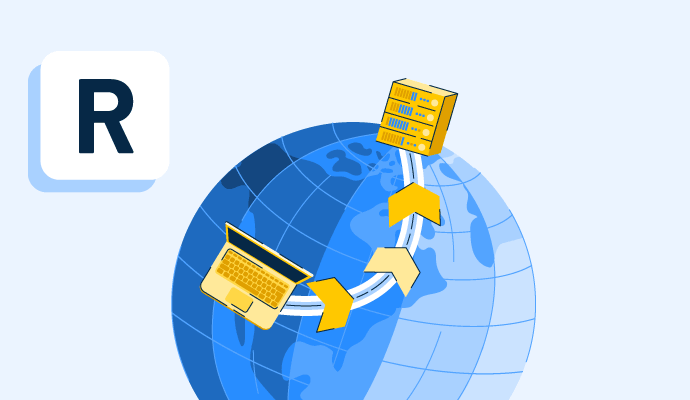
A remote server is a computer system located off-site that stores, manages, or processes data and applications, allowing users to access resources over the internet instead of on a local machine.
In simple terms, a remote server enables remote access to files, databases, websites, or software from anywhere using a network connection. It is a core part of cloud computing, web hosting, and client-server architecture, where the server handles requests and delivers data to users or devices.
Remote servers are commonly used for hosting websites, running applications, managing databases, enabling remote desktop connections, and supporting distributed systems. They can be physical machines or virtual servers created through server virtualization software, often hosted in data centers and accessed securely through protocols like SSH, VPN, or HTTP/HTTPS.
G2 Grid® for Server Virtualization Software
Remote servers allow secure, anywhere access to applications, databases, and hosted resources over a network. They are commonly accessed via SSH, RDP, VPN, or VNC and require effective management through monitoring, patching, access control, and automation to ensure performance and scalability. Strong security practices, such as encryption, firewalls, least-privilege access, regular updates, and threat detection, are essential to protecting remote server environments.
Remote servers can be grouped by the operating system and infrastructure they run on, with each type suited to different workloads, management needs, and business environments. The most common types include Windows, Linux, Unix, and mainframe servers.
The most common remote server access methods are SSH, RDP, SFTP/FTP, VPN, VNC, web-based control panels, and direct console access. Each method is used to connect to, manage, or transfer data to a remote server based on the operating system, security needs, and level of control required.
A remote server management system helps IT teams manage servers at scale by giving them centralized visibility and control over performance, access, security, updates, and routine administration. Its core capabilities typically include monitoring, user and permission management, policy enforcement, patching, and automation.
The remote server management implementation process usually follows a structured rollout, from selecting the right solution to preparing infrastructure, deploying configurations, integrating existing tools, and onboarding users. These steps help organizations set up remote management in a controlled and scalable way.
Protecting a remote server requires a layered security approach that reduces unauthorized access, limits attack surfaces, and improves resilience against cyber threats. The following best practices help strengthen remote server security and support data confidentiality, integrity, and availability.
A remote server is accessed over the internet from an off-site location, while a local server is hosted on-premises and accessed within a local network.
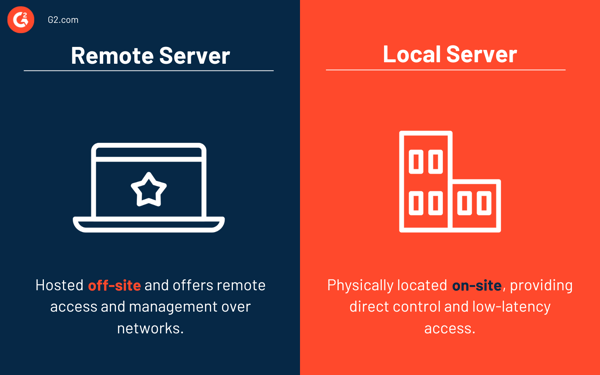
| Remote server | Local server |
| A server hosted off-site in a data center or cloud environment, accessed over the internet using protocols like SSH, RDP, or VPN | A server physically located on-site within a local network (LAN) and managed internally by an organization |
| Enables remote access from anywhere and supports scalable, cloud-based infrastructure | Provides direct control and low-latency access but requires on-premise hardware and maintenance |
Have unanswered questions? Find the answers below.
No, a remote server is not the same as a virtual machine. “Remote server” refers to accessing a server over a network, while a virtual machine (VM) is a software-based server created using virtualization technologies like VMware or KVM. However, many remote servers in cloud platforms like AWS or Azure are actually VMs running on physical hardware.
RDP is generally better for Windows environments because it offers higher performance, better compression, and built-in system integration, while VNC is more flexible and cross-platform, making it suitable for Linux, macOS, and mixed environments but often slightly slower due to full-screen graphical transmission.
Yes, you can connect to a server remotely using protocols like SSH (for Linux), RDP (for Windows), or VNC (cross-platform), as long as you have the server’s IP address, proper credentials, and network permissions, which is standard practice in cloud computing, DevOps, and IT administration.
No, a remote server is not the same as a VPN. A remote server is a system that hosts applications or data, whereas a virtual private network is a security tool that encrypts your connection and allows safe access to networks, often used to securely connect to remote servers.
Key considerations of a remote server include security, performance, reliability, scalability, and access control. Businesses must ensure secure connections (e.g., encryption and authentication), sufficient processing power and uptime, the ability to scale resources as needed, and proper user permissions to protect data and maintain system efficiency.
Learn more about intrusion detection systems (IDS) and understand why they matter for remote server security.


What is a proxy network? A proxy network acts as an intermediary between an endpoint device,...
 by Amal Joby

Middleware connects data, users, and applications in the same way connective tissues hold...
 by Sudipto Paul

What is a content delivery network? A content delivery network (CDN) is a network of servers...
by Sagar Joshi